
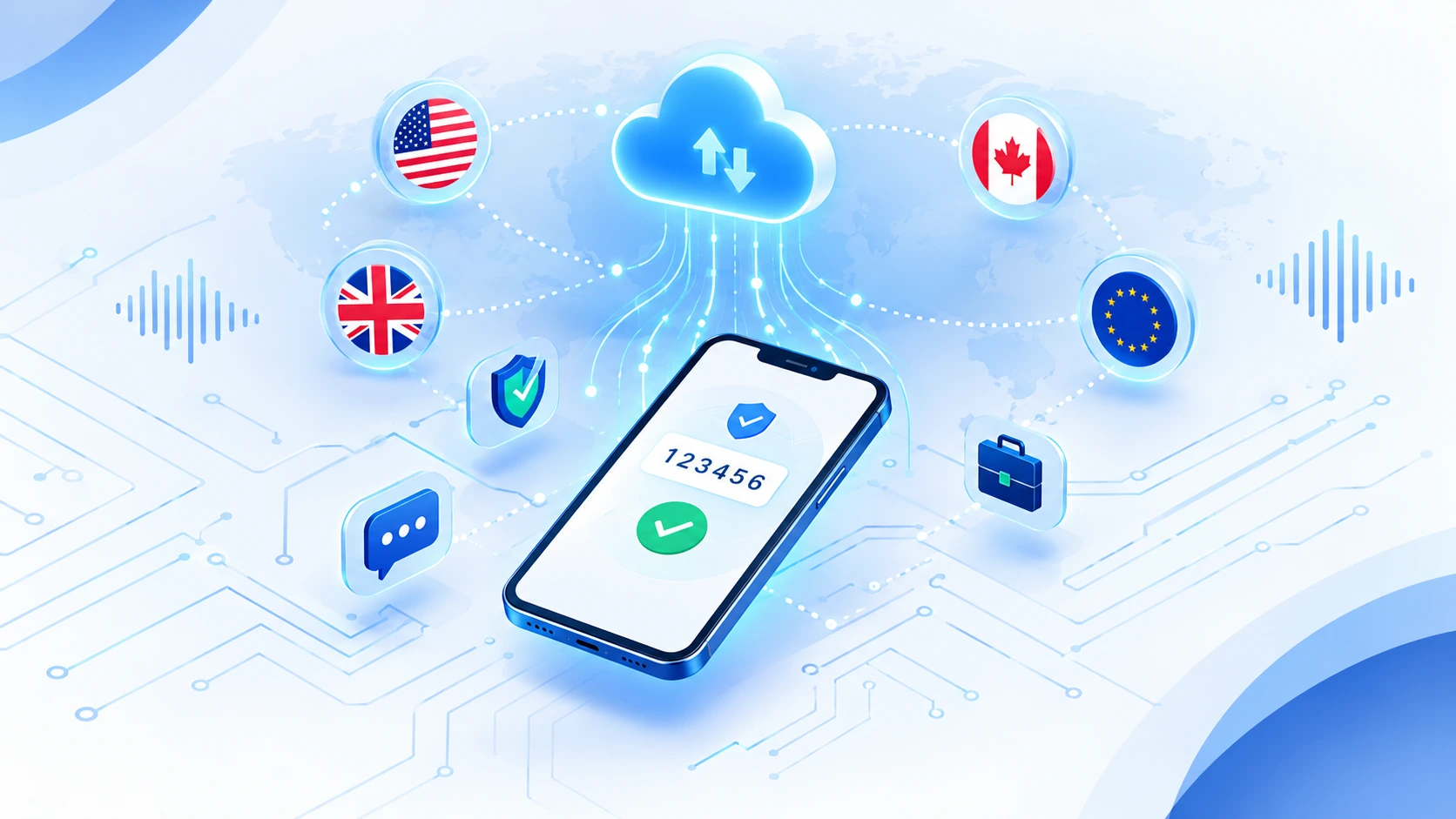
What Is a Virtual Phone Number? (And Why “Virtual” Doesn’t Mean “Fake”)
Here’s something most people don’t realize: there are over 3 billion virtual phone numbers in use worldwide right now. That’s not a typo. Three billion. These aren’t some obscure workaround used by tech enthusiasts hiding in forums. They’re mainstream. Businesses use them. Remote teams rely on them. And chances are you’ve called one this week without even knowing it.
So what exactly is a virtual phone number?
It’s a real phone number that works over the internet instead of traditional copper phone lines. That’s it. The “virtual” part just means it uses VoIP technology—Voice over Internet Protocol—to route calls and messages as data packets rather than through physical infrastructure. When someone calls your virtual number, it rings just like any other number. When they text it, the message arrives. From their perspective, there’s zero difference.
The technology behind this is surprisingly simple once you strip away the jargon. VoIP converts your voice into digital data, sends it over the internet, and converts it back into sound on the other end. Text messages work the same way. The entire system runs on cloud phone systems, which just means the routing happens on remote servers instead of in a phone company’s basement
Think of it this way. A traditional phone number is tied to a physical location and a specific piece of hardware. Your landline sat in your kitchen. Your mobile number is linked to a SIM card. A virtual number lives in the cloud. It can forward calls to your cell phone, your laptop, an app on your tablet, or all three at once. That flexibility is what makes it virtual, not the legitimacy of the number itself.
The technology behind this is surprisingly simple once you strip away the jargon. VoIP converts your voice into digital data, sends it over the internet, and converts it back into sound on the other end. Text messages work the same way. The entire system runs on cloud phone systems, which just means the routing happens on remote servers instead of in a phone company’s basement. That’s why virtual numbers can send and receive phone calls and text messages internationally without the insane fees traditional carriers charge.
And here’s the part that matters most for phone number verification. When you use a virtual number to verify an account, the platform receiving that number sees a legitimate telephone number. Not a red flag. Not a workaround. A real number that can receive a real OTP code. At least, that’s how it should work when you choose the right type of number. But that’s a whole other issue I’ll cover in a minute.
The point is this. Virtual doesn’t mean fake. It means flexible. And once you understand that, the entire conversation about how to get one and use it properly makes a lot more sense.
How to Get a Virtual Phone Number: Step-by-Step Process
The entire process takes about five minutes if you know what you’re doing. Ten if you don’t. Most people waste hours because they skip a step or do things in the wrong order, and then they wonder why the number doesn’t work for verification or shows the wrong country code.
Here’s how to get a virtual phone number the right way, with each step in the correct sequence.
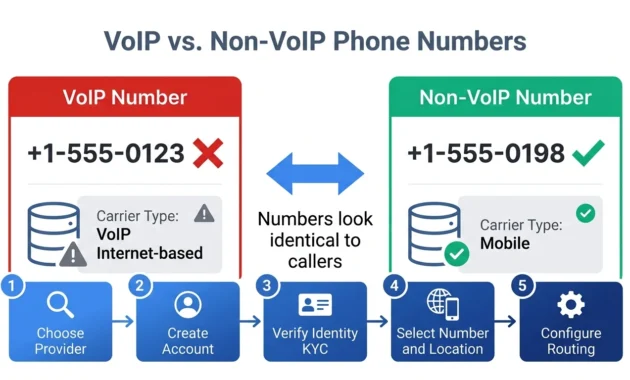
Step 1: Choose Your Virtual Number Provider
This is where most mistakes happen. People pick a VoIP provider based on price alone, or they grab the first free option they find, and then they’re shocked when the number gets rejected during verification.
Your provider choice depends on what you actually need the number for. If you’re setting up a business line, you need reliability and call forwarding features. If you’re verifying an app account, you need a provider that offers non-VoIP numbers because regular VoIP numbers get flagged and blocked. If you need an international number outside your home country, you need a provider with real coverage in that region, not just a forwarding service pretending to be local.
I always check three things before committing to any provider. Does the provider explicitly support the use case I need? Can they deliver numbers in the geographic location I want, or do they just claim to cover 100+ countries but only have reliable service in five? And do they offer the specific number type I need, whether that’s VoIP, non-VoIP, toll-free, or mobile?
Price matters, but it’s the last thing I look at. A cheap number that doesn’t work is more expensive than a $15 number that does exactly what you need.
Step 2: Create Your Account
Standard account creation. Most providers let you sign up with an email address or a Google account. Some ask for basic information like your name and location during registration. Some don’t.
This step is quick. The next one isn’t always.
Step 3: Verify Your Identity (KYC)
Here’s where people get frustrated because they weren’t expecting it. Many legitimate providers require identity verification before they’ll activate your number. This is KYC, which stands for Know Your Customer, and it’s not the provider being difficult. It’s telecommunications regulation.
Phone numbers are regulated differently depending on the country. In the United States and most of Europe, providers are legally required to verify who’s getting a number before they hand it over. The rules exist to prevent fraud, spam, and illegal robocalling. If a provider skips this step entirely, that’s actually a red flag, not a convenience.
What do they ask for? Usually a government-issued ID, sometimes a proof of address, and occasionally a business registration if you’re signing up as a company. The verification process can be instant if the provider uses automated document scanning, or it can take 24 hours if they manually review submissions.
Not every provider requires this. Free services and some international providers skip identity verification completely. But the tradeoff is that those numbers often have worse acceptance rates for verification because platforms know they’re easier to get in bulk.
Step 4: Select Your Number Type and Location
This is the step that determines whether your virtual phone number actually works for what you need it to do. And it’s the step most guides skip over like it doesn’t matter.
First, pick your country code. If you’re getting a USA virtual number, that’s +1. If you need a UK number, that’s +44. Over 100 countries are available through major providers, so geographic coverage isn’t usually the problem. The problem is picking the wrong type of number for your use case.
You’ll need to choose an area code if you’re getting a local number. New York is 212 or 646. Los Angeles is 213 or 310. If you’re setting up a business line and you want to look local to your customers, the area code matters. If you’re just using the number for app verification, it usually doesn’t.
Then you choose between local and toll-free. A toll-free number in the United States starts with 800, 888, 877, or similar prefixes. These are free for the caller, and they make your business look more established. A local number looks like any regular mobile or landline number in that area.
And here’s the part that trips people up. Some providers let you choose between mobile-type numbers and landline-type numbers. Some platforms, especially banking apps and government services, reject landline numbers for verification and only accept mobile. If you pick the wrong type, the verification fails, and you’re stuck either buying a second number or fighting with customer support.
One more thing. If you’re accessing your virtual number from a different country than the one you’re getting the number in, configure your account’s network and region settings before you select the number. I’ve seen people get a US number while logged in from Europe, and the system assigns a mismatched country code because the account region wasn’t set first. Then the number doesn’t receive messages properly, and they have no idea why.
The order matters. Set your region, then pick your number.
Step 5: Configure Call and Message Routing
Your virtual phone number doesn’t live on a physical device, so you need to tell the system where calls and messages should actually go. This is call forwarding and number routing, and every provider handles it slightly differently.
Most let you forward calls to another phone number, send them to a mobile app, route them to a web dashboard, or distribute them across a team if you’re running a business. Text messages usually appear in the same app or dashboard where you manage the number.
Set this up right away. I’ve watched people skip this step, get their number, try to verify an account, and then realize they have no way to actually see the verification code because they never configured where messages go.
If you’re using the number for a business phone system, this is where you set up things like voicemail greetings, business hours routing, and which team member gets which type of call. If you’re just using the number for personal verification, you usually just point everything to the provider’s app, and you’re done.
The setup process for getting a virtual phone number is fast. API-first platforms activate numbers instantly. Traditional telecom carriers used to take days or even weeks. That gap is why virtual numbers became popular in the first place.
But speed only helps if you do the steps in the right order. Pick the wrong provider, skip identity verification, grab the wrong number type, or forget to configure routing, and you’ll spend more time troubleshooting than you would have spent doing it correctly from the start.
Choosing the Right Provider: Paid vs Free Options Compared
The provider you choose determines whether your virtual number actually works or becomes another failed attempt you complain about on Reddit. I’ve seen people try 15 different services before they figure out that the problem wasn’t bad luck. It was choosing providers based on price instead of compatibility.
Here’s what you actually need to know before you pick one.
Top Paid Virtual Number Providers
Paid providers start around $5 to $20 per month for personal use. Business plans average about $120 per year per user, though that number jumps significantly if you need advanced features like call analytics or CRM integration.
KrispCall is one of the few providers that explicitly offers non-VoIP numbers, which matters if you’re planning to use the number for strict verification systems. They cover over 100 countries, integrate with major CRM platforms, and provide actual customer support. That last part is rarer than it should be in this industry.
Dialpad focuses on business communication with AI-powered call transcription and team collaboration features. If you’re running a remote team or a small business, Dialpad makes sense. If you just need a secondary number for personal verification, you’re paying for features you’ll never touch.
CloudTalk and Aircall fall into the same category. They’re built for call centers and sales teams, not individuals trying to verify a WhatsApp account. The pricing reflects that. These are serious business phone systems with advanced call routing, analytics dashboards, and integrations with tools like Salesforce and HubSpot.
Then you have providers like Twilio, which is technically a developer platform, not a consumer service. You can absolutely get a virtual phone number through Twilio, but you’ll need to write code or use a third-party interface to actually manage it. For technical users who want full control, Twilio is perfect. For everyone else, it’s overkill.
Hushed and similar apps sit in the middle tier. They’re cheaper than business-focused providers but more reliable than completely free options. The tradeoff is fewer features and sometimes limited geographic coverage despite what the marketing claims.
How to Buy a Virtual Phone Number (Paid Process)
When you buy a US phone number or any other paid virtual number, the process is usually the same. You pick a plan, enter payment details, and choose your number from available options, and the system activates it immediately or within a few hours depending on whether identity verification is required.
Most providers accept credit cards and PayPal. Some accept cryptocurrency if privacy is a priority. Activation is instant with API-first platforms. Traditional telecom resellers sometimes take 24 to 48 hours because they’re provisioning the number through a third-party carrier.
The important part is reading what you’re actually buying. Some providers sell numbers on a monthly subscription that auto-renews. Some sell prepaid credits that expire if you don’t use them. Some charge per minute for calls and per message for texts on top of the base number fee. The advertised price is almost never the real price once you add usage costs.
Free Virtual Number Apps (TextNow, Google Voice, Talkatone)
Free options exist, and I’ll cover them in detail later. For now, just know that TextNow, Google Voice, and Talkatone all offer free virtual number apps that work for basic use cases.
Google Voice is US-only and requires you to already have a US phone number to verify your account, which defeats the purpose for most international users. TextNow and Talkatone work in the US and Canada, show ads, and recycle your number if you don’t use it regularly. That recycling policy is a bigger problem than it sounds, and I’ll explain why in the section dedicated to free options.
The short version is this. Free works if you need a temporary number for a one-time verification and you don’t care if the number disappears in 30 days. Free does not work if you need the number to last, if you’re using it for anything sensitive, or if the platform you’re verifying with is known to reject VoIP numbers.
Red Flags: Avoiding Scam Providers
Here’s the part nobody talks about because most articles are affiliate marketing. There are scam providers that take your money and deliver numbers that don’t work.
I’ve seen complaints about services that sell “virtual numbers,” which are actually just forwarding services that break after a week. I’ve seen providers that list hundreds of countries but only have working infrastructure in three. I’ve seen companies that advertise non-VoIP numbers but deliver regular VoIP numbers that get rejected immediately.
The biggest red flag is a provider with no customer support contact information. If the website only has a contact form and no live chat, no email address, and no phone number, that’s a problem. When your number stops working, you’ll have no way to fix it.
Another warning sign is providers that let you buy a number with zero identity verification and zero restrictions. That sounds convenient until you realize the reason they don’t verify identity is because they’re selling the same number to multiple people, or they’re provisioning numbers they don’t actually have legal access to.
Check reviews outside the provider’s own website. Reddit is useful for this because people complain loudly when they get scammed. If you search the provider name plus “scam” or “not working” and you find multiple recent complaints, walk away.
The cheapest numbers often have the worst platform acceptance rates. I know that sounds like an upsell, but it’s true for a specific technical reason. Cheap providers use VoIP numbers exclusively because VoIP infrastructure costs almost nothing to operate. Premium providers invest in carrier relationships to offer non-VoIP numbers that pass stricter verification systems. You’re not paying for the number. You’re paying for the carrier classification that makes the number actually work where you need it.
Choosing by price alone is Mistake #3, and it’s the reason people end up buying five different numbers before they find one that works.
Common Use Cases: Why People Get Virtual Phone Numbers
Most people don’t wake up thinking they need a virtual phone number. They need to solve a specific problem, and a virtual number happens to be the solution. The mistake is grabbing the first number you find without thinking through what you actually need it for, because that decision changes which type of number works and which one wastes your money.
Here’s what people actually use virtual phone numbers for.
For SMS/OTP Verification
This is the most common reason by far. You’re trying to sign up for an app, a website, or a service, and the platform demands a phone number for SMS verification. Maybe you don’t want to give out your real number. Maybe you’re traveling and don’t have a local SIM card. Maybe you already used your real number on another account, and the platform won’t let you reuse it.
A virtual number gives you a US phone number for activation or any other country code you need, receives the OTP verification code, and you’re done. One-time verification is simple in theory, but in practice, the number type matters more than people expect.
Some platforms detect VoIP numbers and reject them outright. Banking apps do this. Government services do this. Some social media platforms do this inconsistently. If you’re using a virtual number specifically for app verification, you need to know ahead of time whether the platform accepts VoIP numbers or whether you need a non-VoIP number that looks like a regular mobile line to the verification system.
That difference is what I’ll cover in the next section, but the point here is this. If your use case is one-time verification for a low-security platform, almost any virtual number works. If you’re verifying something strict like a bank account or a payment app, you need to be more selective.
For Privacy and Anonymous Sign-Ups
Privacy is the second biggest driver. People want a secondary phone number that keeps their real number private. You’re selling something online and you don’t want strangers calling your personal cell. You’re signing up for a service you don’t fully trust, and you don’t want them selling your contact information. You’re dating and you’re not ready to share your real number yet.
A private phone number solves this without requiring you to get a second SIM card or carry two phones. Calls and texts go to the virtual number; you handle them through an app or web dashboard, and your real number stays completely separate.
The privacy angle has grown significantly in the last few years. More people are aware that giving out your phone number lets companies track you across platforms, link your accounts together, and build profiles on your behavior. A virtual number breaks that tracking, at least partially.
But here’s the thing. If privacy is your actual goal, you need a private, dedicated number from a provider that doesn’t log and sell your data. Free virtual number apps are not private. They monetize by showing you ads, which means they track your activity. Some sell usage data to third parties. The number might be separate from your real number, but the privacy benefit is limited if the provider itself is harvesting everything you do.
For Business Communication
Remote work and the gig economy pushed virtual business phone numbers into the mainstream. You’re running a business from home and you need a professional number that isn’t your personal cell. You’re a freelancer working with international clients, and you want a local presence in their country. You’re managing a small team and you need a shared number that routes to different people based on the time of day or the caller’s location.
Virtual numbers handle all of that without the cost and complexity of traditional business phone systems. You get a business phone number, set up call forwarding to your team, and integrate it with your CRM so every call logs automatically, and you look like a legitimate company even if you’re working from your kitchen table.
Business use cases need reliability and features. If a client calls and the number doesn’t work, you lose money. If messages don’t route correctly, you miss opportunities. This is where paid providers with actual support infrastructure make sense, because the cost of downtime is higher than the cost of the subscription.
For International Presence
This one overlaps with business use, but it applies to individuals too. You need a local number in a country where you don’t live. Maybe you’re applying for jobs in the US from overseas, and you want a USA virtual number so employers don’t see an international code and assume you need visa sponsorship. Maybe you’re managing property in another country and you need a local number for tenants and service providers to reach you.
Virtual numbers let you have a functional local presence without a physical location or a local SIM card. The number forwards to wherever you actually are, the caller sees a local number when you call them back, and the whole interaction feels local even though you’re on the other side of the world.
Major providers offer numbers in over 100 countries, so geographic coverage isn’t usually the limitation. The limitation is whether the provider actually has real infrastructure in that country or whether they’re just reselling forwarding services that break randomly.
The use case determines everything. A temporary number for one-time verification needs completely different features than a long-term business line. And if you skip the step of clarifying what you actually need before you start shopping, you’ll end up with the wrong number type, wasted money, and no clear idea why it didn’t work.
VoIP vs Non-VoIP Numbers: What’s the Difference and Why It Matters
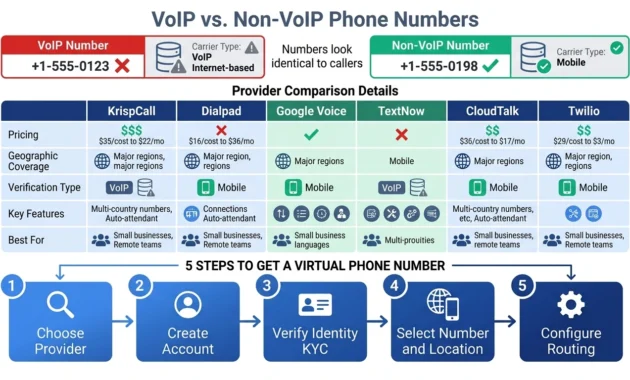
This is the single most important technical distinction that almost no one explains, and it’s the reason people try 20 different virtual numbers before one finally works for verification. The numbers look identical. They have the same format. They receive calls and texts the same way. But one works for phone number verification, and the other gets rejected instantly.
The difference is carrier classification.
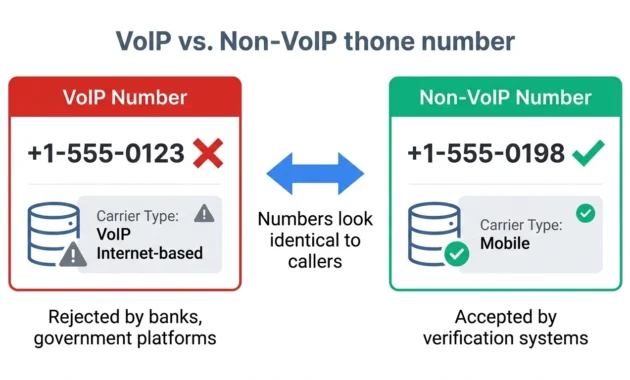
A VoIP number is classified in the telecom system as an internet-based number. It routes through internet infrastructure instead of traditional cellular networks. That’s how virtual numbers work in general, but the key is how the number is registered in the carrier database. When a platform runs a verification check on your number, they query the carrier type. If the system returns “VoIP” or “internet-based,” many platforms automatically reject it.
A non-VoIP number is registered as a standard mobile or landline number in the carrier database, even though it still works through internet infrastructure on the backend. From the verification system’s perspective, a non-VoIP virtual number looks exactly like a regular cell phone number. The check comes back clean, the OTP verification code goes through, and the signup completes without issues.
That’s the difference. Same technology underneath. Different carrier classification. Completely different results when you try to use the number for app verification.
Most virtual number providers only offer VoIP numbers because they’re cheaper to provision and easier to scale. A few providers, like KrispCall, explicitly offer non-VoIP US numbers specifically because they know strict verification platforms reject VoIP. When a provider advertises non-VoIP support, what they’re really saying is “our numbers will actually work for the verification systems that reject everyone else’s numbers.”
Why Platforms Reject VoIP Numbers
Fraud prevention is the reason. VoIP numbers are easy to get in bulk, cheap to maintain, and trivial to rotate. That makes them perfect for scammers running verification bypass operations, fake account farms, and SMS phishing schemes. Platforms know this, so they built detection systems that identify and block VoIP numbers during signup.
The detection methods are straightforward. When you enter a phone number, the platform queries a carrier lookup database. The database returns metadata about the number, including carrier type, line type, and whether the number is classified as fixed VoIP, non-fixed VoIP, mobile, or landline. If the result says VoIP, the platform can choose to reject it, flag it for manual review, or accept it with limitations.
Banking apps almost always reject VoIP numbers. Government verification services reject them. Some social media platforms reject them inconsistently, which is why the same virtual number works on Instagram but fails on Facebook even though they’re owned by the same company. The verification rules aren’t published, so you don’t know ahead of time whether your number will work until you actually try it.
And that’s why people end up trying 56 different numbers before they find one that works. They’re all using VoIP numbers from different providers, assuming the problem is the specific service, when the actual problem is the carrier classification.
When You MUST Have a Non-VoIP Number
If you’re verifying a bank account, a payment processor, a government service, or any financial platform, you need a non-VoIP number. VoIP won’t work. The system will reject it before you even get to the OTP verification step.
If you’re setting up a business account on a platform with strict fraud controls, you probably need non-VoIP. If you’re verifying a US phone number for activation on a service that explicitly blocks virtual numbers, non-VoIP is your only option.
For everything else, it depends. Some apps accept VoIP numbers without issue. Some accept them but limit account features until you verify with a “real” number later. Some accept them initially but flag your account for review if they detect VoIP after the fact.
The safe approach is this. If the account matters and you can’t afford to have it suspended or limited, use a non-VoIP number from the start. If you’re just testing a service or creating a throwaway account, regular VoIP is usually fine.
The mistake people make is assuming all virtual numbers work the same for verification. They don’t. A valid US phone number isn’t enough. The carrier classification determines whether the verification system accepts it, and most cheap virtual numbers are classified as VoIP, which means they fail on any platform with decent fraud prevention.
Why Virtual Numbers Get Rejected for Verification (And How to Fix It)
I’ve seen people buy six different virtual numbers from six different providers, fail verification every single time, and have no idea why. They assume they’re unlucky or the service is broken. The actual problem is that verification rejection isn’t random. There are three specific reasons it happens, and once you know what they are, you can avoid wasting money on numbers that were never going to work.
Cause #1: VoIP Number Detection
This is the most common reason by far. The platform you’re trying to verify on runs a carrier lookup, identifies your number as a VoIP number, and blocks it automatically. I covered the technical side in the previous section, but here’s what it looks like in practice.
You enter the number. You click “Send Code.” The system either gives you an immediate error saying the number isn’t valid, or it pretends to send the code, but nothing ever arrives. That’s VoIP detection at work. The platform flagged the number type before it even attempted to send the SMS verification message.
Banking apps do this 100% of the time. Government portals do it. Payment processors like PayPal, Venmo, and Cash App do it. Even some social media platforms do it selectively. Facebook and Instagram are inconsistent because their fraud detection systems change based on signup patterns, account age, and IP address reputation. One person’s VoIP number works fine. Another person’s identical VoIP number from the same provider gets rejected. The difference is usually context, not the number itself.
The fix is simple. Use a non-VoIP number from a provider that explicitly offers them. Not all providers do. Most cheap services only have VoIP. If the provider doesn’t specifically mention non-VoIP support, assume they don’t have it.
Cause #2: Number Reputation and Recycling
Virtual numbers get recycled. When you stop paying for a temporary phone number, the provider waits 30 to 90 days and then reassigns it to someone else. That recycling creates a massive problem for verification because platforms remember what the number was used for previously.
Maybe the last person who had your number created 50 accounts and got banned for spam. Maybe they used it to verify a scam operation. Maybe they just signed up for a bunch of services and abandoned them, and now those platforms still have the number on file. When you try to use that same number for app verification, the platform sees it’s already associated with an existing account, or it sees the number has a history of suspicious activity, and the verification fails.
You have no way to know this happened. The number looks fine. It receives texts normally. But the reputation damage from the previous owner follows the number, and you inherit the problem.
Free virtual number apps recycle numbers aggressively because their business model depends on reusing the same inventory over and over. Paid providers recycle too, but usually with longer gaps and better tracking to avoid reassigning flagged numbers immediately.
The fix here is harder because you can’t check a number’s reputation before you buy it. The best you can do is avoid services that heavily recycle numbers, which means avoiding most free options and choosing paid providers that offer dedicated numbers instead of shared temporary ones.
Cause #3: Platform-Specific Blocks
Some platforms just don’t accept virtual numbers at all, regardless of carrier type or reputation. Period. They maintain blacklists of known virtual number ranges, and if your number falls in one of those ranges, it gets rejected even if it’s classified as non-VoIP.
WhatsApp is the biggest example of this right now. In 2024, WhatsApp started blocking USA virtual numbers almost entirely due to policy changes around fraud prevention. It doesn’t matter if you’re using a premium provider with a clean non-VoIP number. If WhatsApp detects the number comes from a virtual provider’s range, it often blocks OTP verification. People are working around this by using virtual numbers from other countries, but even that’s inconsistent.
Banking apps and government services block entire provider ranges too. If they know a specific set of numbers belongs to a virtual number provider, they blacklist the whole batch. That’s why you’ll see reports of people using the exact same provider for verification, and half of them succeed while the other half fail. The difference is which specific number they got assigned from the provider’s inventory.
There’s no universal fix for platform-specific blocks. The only option is to research ahead of time whether the platform you’re trying to verify on is known to reject virtual numbers. Reddit is useful for this. Search the platform name plus “virtual number” or “verification not working” and you’ll find recent reports of what’s currently being blocked.
How to Test Compatibility Before Buying
Don’t commit to a long-term subscription until you’ve verified the number actually works for your use case. Most providers let you buy a single month or use a free trial. Get the number, test it on the platform you need it for, and only then upgrade to a longer plan.
Some providers publish compatibility lists showing which services accept their numbers and which ones don’t. Those lists are rarely up to date because platforms change their verification rules constantly, but they’re still better than guessing.
If you’re trying to get a US phone number for activation on a specific app, check whether anyone has successfully used a virtual number for that app recently. Not two years ago. Recently. Verification policies change fast, and what worked last year might not work today.
The myth that any virtual number will work for SMS verification anywhere is just wrong. Carrier type matters. Number reputation matters. Platform-specific blacklists matter. And if you don’t account for those three things before you buy a number, you’re going to end up in the same Reddit thread as everyone else who tried 56 numbers and couldn’t figure out why none of them worked.
Security & Privacy: What Nobody Tells You About Virtual Numbers
Virtual numbers aren’t inherently dangerous, but the way most people use them is. And almost no one explains the actual security risks because they’re too busy selling you a service. Here’s what you need to know before you tie a virtual number to anything that matters.
The Public Number Takeover Risk
Free temporary numbers are not private. I need to say that again because people miss it constantly. When you use a public temporary phone number from a free service, anyone with access to that service can see the messages coming to that number. Not just you. Anyone.
Here’s what that looks like in practice. You verify a social media account with a free public number. The verification code shows up in a shared inbox that hundreds of other users can access. Someone else sees your verification code, uses it to access your account, changes the password, and locks you out. You just lost the account because you used a public number instead of a private phone number.
This happens with account recovery too. You set up a password reset on a public number. You forget your password six months later and request a reset. The reset code goes to the same public number. Someone else grabs the code from the public inbox, resets your password before you do, and now they own your account.
The fix is simple but not free. Use a private, dedicated virtual number, not a public, shared one. Private numbers route messages only to you. Public numbers route to a shared inbox where anyone using that service can view incoming texts.
Most free virtual number apps use public shared numbers because it’s cheaper for them to operate. Some paid services offer private dedicated numbers. The distinction matters more than almost anything else if you care about keeping access to the accounts you verify.
Why Two-Step Verification Is Essential
If you’re using a virtual number for any account you actually care about, enable two-step verification immediately. Not later. Immediately. Before you do anything else with the account.
Two-step verification, also called 2FA or two-factor authentication, adds a second layer of identity verification beyond just the phone number. Even if someone gets access to your virtual number, they can’t access the account without also having your authentication app, your backup codes, or your physical security key.
Here’s how this protects you from number recycling attacks. You use a virtual number to verify WhatsApp. You stop paying for the number six months later. The provider recycles it and gives it to someone else. That new person now has “your” phone number and could theoretically use it to recover your WhatsApp account. But if you enabled two-step verification before you lost the number, they can’t get in without your six-digit PIN. The account stays yours even though the number doesn’t.
This applies to any service where the virtual number is the primary recovery method. Set up 2FA. Add a backup email. Download recovery codes. Do whatever the platform allows to make sure the account isn’t solely dependent on controlling that phone number, because eventually you might lose access to the number, and you don’t want to lose the account with it.
Are Virtual Numbers Legal? (Yes, With Caveats)
Virtual numbers are legal in nearly every jurisdiction for legitimate personal and business use. You’re allowed to get one. You’re allowed to use it for verification, privacy, business communication, or any other legal purpose.
The caveat is that using a virtual number to bypass security controls, impersonate someone else, or commit fraud is illegal, just like using a regular phone number for those purposes would be illegal. The number type doesn’t change the law. Fraud is fraud.
Telecommunications regulation is tightening around virtual numbers in some regions, mostly focused on Know Your Customer requirements and preventing bulk account creation for spam operations. Some countries now require identity verification before providers can issue a virtual number. That’s why legitimate providers ask for ID during signup. They’re complying with local regulations, not being invasive.
If a provider lets you create unlimited numbers with zero verification and zero restrictions, that’s not a feature. That’s a sign the provider is either operating in a regulatory gray area or outright ignoring compliance requirements, and that makes them unreliable for long-term use.
Debunking the “Virtual = Fraud” Myth
There’s a perception that virtual numbers are sketchy and more prone to fraud than traditional numbers. The data doesn’t support this. According to industry research from organizations like the One Consortium, there’s no evidence that virtual numbers have higher fraud rates than traditional carrier numbers when proper controls are in place.
The fraud risk comes from how the number is used, not the technology itself. Scammers use virtual numbers because they’re easy to get in bulk and easy to rotate, the same way they use burner SIM cards and prepaid phones. But legitimate users outnumber fraudulent ones by an enormous margin, and the vast majority of virtual number usage is completely ordinary business communication and personal privacy protection.
Platforms reject virtual numbers because they’re easier to get than traditional numbers, not because they’re inherently fraudulent. That’s a spam prevention measure, not a security measure. And when providers implement proper identity verification and fraud monitoring, virtual numbers are functionally identical to traditional numbers from a security perspective.
The actual security risk isn’t the number. It’s using public shared numbers instead of private ones, skipping two-factor authentication, and trusting your accounts to temporary numbers that get recycled after you stop using them. Fix those three things, and virtual numbers are as safe as any other phone number you’d use for verification.
How to Use a Virtual Number for WhatsApp (2026 Update)
WhatsApp verification with a virtual number used to be straightforward. It’s not anymore. Meta changed their verification policies throughout 2024 and 2025, and a lot of the advice you’ll find online is now outdated and wrong. If you try to follow old guides, you’ll waste time on methods that don’t work.
Here’s what actually works in 2026.
Step-by-Step: WhatsApp Setup with Virtual Number
The basic process hasn’t changed. You still need a virtual phone number, you still enter it in WhatsApp, and you still verify with an OTP code. But the details of which numbers work and which don’t have changed completely.
Start by getting a virtual number from a provider that explicitly states WhatsApp compatibility. Don’t assume any virtual number will work. Most won’t.
Open WhatsApp and start the registration process. When it asks for your phone number, enter the virtual number exactly as it appears, including the country code. WhatsApp will attempt to verify the number automatically via SMS. If auto-verification fails, it will send a six-digit OTP verification code.
Check your virtual number’s inbox. Most providers show incoming messages in a web dashboard or mobile app. Find the WhatsApp verification code and enter it in the app. If the code is correct and the number isn’t flagged, WhatsApp completes the setup and your account is active.
That’s the process in theory. In practice, most people hit a wall at the verification step because their number gets rejected.
⚠️ 2026 Update: USA Virtual Numbers No Longer Work for WhatsApp
This is the critical part that most guides skip because they’re either outdated or the author doesn’t know. USA virtual numbers are largely blocked by WhatsApp now due to Meta policy changes that started rolling out in late 2024.
WhatsApp detected massive abuse from USA-based virtual number services. Spam operations, fake account farms, and scam rings were using bulk USA virtual numbers to create thousands of accounts. Meta’s response was to tighten verification rules specifically around US numbers from known virtual providers.
If you try to verify WhatsApp with a USA virtual number in 2026, one of three things happens. The OTP code never arrives. The code arrives, but WhatsApp rejects it and says the number can’t be verified. Or the verification works initially, but WhatsApp suspends the account within days for “suspicious activity.”
This doesn’t mean all virtual numbers are blocked. It means USA virtual numbers specifically are blocked or heavily restricted. Numbers from other countries still work, but you need to choose carefully.
The workaround is to use a virtual number with a different country code. UK numbers work more reliably. Canadian numbers work sometimes. European numbers from major providers work. The key is avoiding USA numbers unless your provider explicitly confirms they have WhatsApp-compatible USA numbers that aren’t in Meta’s blocked ranges.
Some providers updated their services to offer WhatsApp-specific numbers that route differently to avoid detection. Those cost more than standard virtual numbers, but they actually work. If a provider is still advertising cheap USA virtual numbers for WhatsApp without mentioning the Meta policy changes, they’re either uninformed or lying.
Before you buy any number specifically for WhatsApp, contact the provider and ask directly whether their numbers currently work for WhatsApp verification. If they can’t give you a clear answer or they haven’t updated their documentation since 2024, find a different provider.
Securing Your WhatsApp Account with Two-Step Verification
Once you get WhatsApp working with a virtual number, enable two-step verification immediately. This is not optional if you care about keeping access to the account.
Go to WhatsApp Settings, tap Account, then tap Two-Step Verification. WhatsApp will ask you to create a six-digit PIN. This PIN is required every time someone tries to register your phone number with WhatsApp, even if they have access to the number itself.
Here’s why this matters for virtual numbers specifically. If you stop paying for your virtual number, the provider recycles it and assigns it to someone else. That new person now controls “your” phone number. Without two-step verification, they can register that number with WhatsApp, and your account gets transferred to them. With two-step verification enabled, they can’t complete registration without your PIN, and your account stays protected even after you lose the number.
WhatsApp also asks for an email address during two-step verification setup. Add one. If you forget your PIN, the email is your only recovery method. Without it, you’re locked out permanently.
Two-step verification also defends against the public number takeover risk I mentioned earlier. If you’re using a free virtual number with a shared inbox, anyone can see your verification codes. But even if they see the code, they can’t take over your account without also knowing your two-step verification PIN.
Set it up before you do anything else with the account. Add contacts, join groups, whatever you need, but enable two-step verification first. It takes 30 seconds, and it’s the difference between keeping your account and losing it to the next person who gets assigned your recycled number.
WhatsApp and virtual numbers still work together in 2026, but the combination is much pickier than it used to be. USA numbers are mostly blocked. Free numbers are risky. And without proper security settings, you’re one recycled number away from losing access to everything tied to that account.
The #1 Mistake People Make When Getting a Virtual Number
The biggest mistake isn’t choosing the wrong provider or picking a bad number. It’s not thinking through what you actually need the number for before you buy it.
I see this constantly. Someone decides they need a virtual phone number, searches for the cheapest option, signs up, gets a number, and then realizes three days later that the number doesn’t do what they needed it to do. Maybe it’s VoIP and the platform they’re verifying won’t accept it. Maybe it’s temporary and they needed something permanent. Maybe it’s a personal number when they needed a business phone number with team features and call routing.
Then they’re stuck. They already paid for the wrong thing, and now they have to pay again for the right thing, and the first purchase was completely wasted.
Here’s the framework that prevents this.
Before you look at providers or pricing, ask yourself two questions. Will I need this number in three months? And what exactly will I use it for?
If the answer to the first question is no, you need a one-time verification number, not a long-term service. Don’t buy a monthly subscription for something you’ll use once. Get a temporary phone number, verify the account, and move on. Free options work fine for this as long as you’re not verifying anything sensitive.
If the answer is yes, you need the number long-term, then the second question determines which type of number and which provider tier you need.
One-time app verification? A cheap VoIP number from almost any provider works.
Privacy protection for ongoing communication? Private dedicated number, not a recycled public one.
Business communication with clients? You need reliability, professional features, and probably a business phone number with call forwarding and voicemail. Free services don’t cut it here because downtime costs you money.
Banking or government verification? Non-VoIP number only. Regular VoIP gets rejected.
WhatsApp or messaging apps with strict policies? Check current compatibility before you buy anything, because policies change constantly.
The use case determines everything. Provider, price, number type, and features. If you skip this step and just grab whatever looks convenient, you’re gambling that you’ll accidentally pick the right thing. Most people don’t.
I’ve seen people buy a $15 per month business virtual number just to verify one Instagram account they’ll barely use. Total waste. I’ve also seen people try to run a legitimate business on a free recycled number that stops working randomly and makes them look unprofessional. Also a waste.
Match the tool to the job. If you just need to verify one account and you’ll never use the number again, don’t pay for features you don’t need. If you’re building something that matters, don’t cheap out on infrastructure that needs to actually work.
Define your use case first. Then choose the provider and number type that fits that use case. That order matters, and reversing it is the mistake that costs people the most money and frustration.
Virtual Phone Numbers for Business Use
Virtual phone numbers aren’t a workaround for businesses that can’t afford a real phone system. They are the real phone system now. Over 60% of small businesses have already moved to cloud-based communication systems, and that number keeps climbing because the alternative, traditional phone infrastructure, doesn’t make sense for how businesses actually operate anymore.
Remote teams don’t have a central office. Freelancers work from home. Startups launch without physical locations. And even established businesses are questioning why they’re paying for desk phones that sit unused while everyone works from laptops and mobile devices. A business phone number that lives in the cloud and routes to wherever your team actually is solves all of that without the cost and complexity of traditional systems.
Key Business Features to Look For
Not every virtual number provider is built for business use. The features that matter for personal privacy or one-time verification don’t matter here. What matters for business is reliability, team collaboration, and integration with the tools you already use.
CRM integration is the first thing I check. If your business phone system doesn’t connect to your CRM, you’re manually logging every call, copying notes, and losing context every time a customer calls back and reaches a different team member. Providers like KrispCall integrate with over 100 CRM tools, which means every call automatically logs in your CRM with the caller’s information, call duration, and any notes your team adds. That’s not a luxury feature. That’s basic operational efficiency.
Call forwarding and routing let you distribute calls based on time of day, caller location, or team member availability. If you’re running a business across time zones, you need calls to route to the right person automatically without customers hitting voicemail or waiting on hold. A good cloud phone system handles this with conditional routing rules you set once and forget.
Multi-user support is obvious but easy to overlook if you’re shopping for personal use and then try to scale it for business later. You need multiple team members to share the same business number, each with their own login, their own extension, and their own call handling rules. Not every VoIP provider offers this without jumping to expensive enterprise plans.
Call analytics matter more than most small businesses realize. Which hours get the most calls? Which marketing campaigns drive phone inquiries? How long are customers waiting before someone picks up? You can’t improve what you don’t measure, and a proper business phone system gives you all of that data without requiring a separate analytics platform.
Professional greetings, voicemail-to-email, call recording for training and compliance, and AI-powered features like automatic transcription are becoming standard in business-focused providers. You don’t need all of them, but having access to them as your business grows means you’re not switching providers every six months because you outgrew the feature set.
Local vs. Toll-Free Numbers for Business
You’ll need to choose between a local business phone number with a specific area code or a toll-free number that starts with 800, 888, 877, or similar prefixes.
Local numbers make sense if your business serves a specific geographic area and you want to look local to your customers. A New York customer is more likely to answer a call from a 212 area code than an 800 number they assume is a telemarketer. Local numbers also feel more personal and approachable, which works for service businesses, local shops, and anything where community connection matters.
Toll-free numbers make sense if you’re operating nationally or internationally or if you want to project a more established brand image. Toll-free says, “We’re big enough to have a national presence,” even if you’re a two-person operation running from a home office. They’re also better for customer service lines where you want to remove any barrier to people calling you, since the call is free for them regardless of where they’re calling from.
Some businesses use both. Local number for outbound sales calls so caller ID looks familiar. Toll-free number for inbound support so customers don’t worry about long-distance charges.
The infrastructure itself is identical. Both are virtual numbers running on the same cloud phone system. The only difference is perception and how customers respond to seeing each type of number on their caller ID.
How to Get a Free Virtual Phone Number (And Why You Might Regret It)
Free virtual numbers exist, and they work. Sometimes. The question isn’t whether you can get a USA phone number for free. You can. The question is whether the tradeoffs are worth it, and for most use cases beyond throwaway verification, they’re not.
Here’s what the free options actually give you and what they cost you in ways that aren’t obvious until it’s too late.
Google Voice: The Best Free Option (With Limits)
Google Voice is the most reliable free virtual number service, but it’s locked to the United States in ways that make it useless for most international users.
First, Google Voice only offers US phone numbers. If you need a number outside the US, Google Voice can’t help you.
Second, you need an existing US phone number to verify your Google Voice account before you can get a virtual number. That’s a circular problem if the whole reason you wanted a virtual number was because you don’t have a US number. Some people work around this by using a friend’s number for initial verification, then removing it afterward, but Google has been cracking down on this and suspending accounts that don’t maintain a verified backup number.
Third, Google Voice numbers can’t be used for some verifications. I’ve seen reports of banking apps, certain government services, and even some social media platforms rejecting Google Voice numbers specifically. The platform detects it’s a Google Voice number and blocks it regardless of whether it’s technically VoIP or non-VoIP.
If you’re already in the US, already have a US number for verification, and you just need a secondary free number for personal use, Google Voice works well. The app is solid, call quality is good, and you get voicemail transcription and basic call routing. For anyone outside that specific scenario, Google Voice is either inaccessible or unreliable.
TextNow, Talkatone, and 2ndLine Compared
These three virtual phone number apps are the most popular free alternatives to Google Voice, and they all have similar limitations.
TextNow gives you a free US or Canadian number supported by ads. You’ll see banner ads in the app and occasional fullscreen ads between actions. The number works for calls and texts, but TextNow recycles your number if you don’t use it actively. Definitions of “actively” vary, but generally if you go 30 to 60 days without using the number, TextNow reclaims it and assigns it to someone else. You lose the number, and you lose access to any accounts verified with that number unless you set up alternative recovery methods first.
Talkatone is nearly identical. Free US number, ad-supported, recycling after inactivity. The interface is slightly different, and some users report better call quality with Talkatone than TextNow, but the core tradeoffs are the same.
2ndLine operates on a freemium model. You can get a free number, but features like call forwarding, number selection, and ad removal require a paid subscription. The free tier is extremely limited, and the number recycling policy is aggressive.
All three share the same fundamental problems. They’re VoIP numbers, which means they get rejected by platforms with strict verification. They show ads constantly. They recycle numbers without warning if you don’t use them frequently. And none of them offer any real customer support if something breaks.
Here’s a quick comparison:
| Service | Coverage | Ads | Number Recycling | Verification Compatibility | Support |
|---|---|---|---|---|---|
| Google Voice | US only | No | No (permanent if used) | Blocked by some platforms | Limited |
| TextNow | US/Canada | Yes. | Yes (30-60 days inactive) | Low (VoIP detected) | None |
| Talkatone | US/Canada | Yes. | Yes (30-60 days inactive) | Low (VoIP detected) | None |
| 2nd Line | US/Canada | Yes (free tier) | Yes (aggressive) | Low (VoIP detected) | Email only |
The Truth About Free Virtual Numbers
Here’s what nobody selling you free VoIP phone numbers will tell you outright. A 100% free, stable, professional virtual phone number doesn’t exist. Free services stay free by monetizing you in other ways, and those ways always come with tradeoffs that make the service unreliable for anything you actually care about.
Ads are the least of your problems. They’re annoying, but they don’t break functionality. You can live with ads if the number works.
Number recycling is a much bigger issue. When your free temporary phone number gets recycled and assigned to someone else, that new person can now recover any accounts you verified with that number. If you used a free number to set up WhatsApp, your bank app, your email recovery, or anything else important, and then you stopped using the number long enough for the provider to recycle it, the next person who gets that number owns your accounts now unless you set up alternative recovery methods.
I’ve seen people lose Instagram accounts, email accounts, and even cryptocurrency wallets because they verified with a free recycled number, didn’t use the number for a few months, and then couldn’t recover access when they needed it because someone else had been assigned the number.
Verification compatibility is another major limitation. Free virtual numbers are almost always classified as VoIP, and many platforms reject VoIP numbers during verification. Banking apps won’t accept them. Payment processors won’t accept them. Government services won’t accept them. Even platforms that theoretically accept VoIP numbers often have inconsistent policies where some free numbers work and others from the same provider get rejected.
Privacy risks come from the fact that free services track everything you do to sell ads and monetize your data. You’re not paying with money, so you’re paying with information. If privacy is why you wanted a separate number in the first place, free services undermine that goal.
No support means when something breaks, you’re on your own. The number stops receiving texts? Too bad. Calls aren’t going through? Figure it out yourself. Account suspended for no reason? Hope you didn’t have anything important tied to that number.
When Free Is Good Enough (And When It’s Not)
Free virtual numbers work fine for exactly one use case: temporary one-time verification of accounts you don’t care about keeping long-term.
You need to verify a trial account for a service you’re testing? Free works.
You want to sign up for a forum that requires a phone number, but you’ll probably never use the account again? Free works.
You’re creating a throwaway social media account for a one-time purpose? Free works, assuming the platform accepts VoIP numbers.
Free does not work for:
Business communication. You can’t run a business on a number that shows ads, recycles randomly, and has zero reliability guarantees.
Long-term accounts you care about. If losing access to the account would actually matter, don’t tie it to a free number that could disappear.
Financial or government verification. These platforms reject VoIP numbers, and free services only offer VoIP.
Privacy protection. Free services monetize your data, which defeats the purpose.
Anything requiring reliability. Free services go down. Numbers get recycled. Features break. And you have no recourse because you’re not paying for support.
The cost difference between free and paid is around $5 to $20 per month. If the account you’re verifying, the business you’re running, or the privacy you’re protecting is worth more than $5, pay for a real service. If it’s genuinely worth nothing and you’ll never care if you lose access, free is fine.
The mistake is treating free services like they’re equivalent to paid ones. They’re not. You get what you pay for, and what you’re paying for with free services is a temporary number with no guarantees and no recourse when it inevitably stops working or gets taken away.
Advanced Topics: Number Porting, International Options, and More
Once you understand the basics, a few advanced questions come up that most guides don’t bother answering. Here’s the practical information you need for long-term management of virtual numbers.
Porting Your Virtual Number to Another Provider
Yes, you can port a virtual number from one provider to another, but it’s not as simple as porting a traditional mobile number, and not all providers support it.
Number porting works the same way it does with regular carriers. You request a port from your new provider; they contact your old provider, verify you own the number, and transfer it. The process takes anywhere from a few hours to several business days depending on both providers and whether there are any verification issues.
The catch is that many virtual number providers don’t allow porting out. They’ll let you port a traditional number into their service, but once you have a number with them, you can’t take it anywhere else. This is especially common with cheaper providers and free services. The number is tied to their platform permanently, and if you want to leave, you lose the number.
Before you commit to a provider long-term, check their porting policy. If you’re using the number for business or any important accounts, you want the option to move it if the provider’s service degrades or they raise prices to unreasonable levels.
Porting fees vary. Some providers charge nothing. Some charge $10 to $20. Some charge enough that it’s cheaper to just get a new number and update your contacts than to port the old one.
If you’re planning to port a number, don’t let your subscription expire before you initiate the port. Once the number is released back to the provider’s inventory, it’s gone, and you can’t port a number you don’t control anymore.
Getting Virtual Numbers in Other Countries
Major providers offer virtual numbers in over 100 countries, so geographic coverage isn’t usually the limitation. The limitation is whether the provider has real infrastructure in the country you need or whether they’re reselling access through a third party that might be unreliable.
Getting an international number works the same way as getting a domestic one. You choose the country, select a number from available options, and configure routing. The number shows up as a local number to anyone calling from that country, which is the whole point for businesses trying to establish local presence without physical offices.
Pricing varies wildly by country. A US virtual number might cost $5 per month. A UK number might cost $8. Numbers in smaller markets or countries with stricter telecom regulations can cost $20 or more per month for the same basic service.
Some countries require identity verification and proof of local address before providers can issue a number. This is regulatory compliance, not the provider being difficult. If you’re trying to get a number in Germany, France, or certain other European countries, expect to submit documentation showing you have a legitimate reason for needing that number.
If you need multiple international numbers for a global business, compare providers based on their actual coverage in the specific countries you need. A provider advertising 100+ countries might have excellent service in 10 countries and terrible service in the other 90.
Are “Random Number Generators” Legit? (Spoiler: No)
If you search for “generate random US phone number” or “fake USA number generator,” you’ll find websites claiming to give you instant phone numbers for free with no signup required.
These are not legitimate virtual number services. They’re either scams, honeypots collecting your data, or they’re generating numbers that don’t actually work for anything beyond looking like a valid format.
Some of these sites generate syntactically correct phone numbers that follow the right format but aren’t assigned to anyone. If you try to call or text them, nothing happens. They’re test phone numbers used for software development, not functional numbers you can verify accounts with.
Other sites show you real numbers from public temporary number pools, but dozens or hundreds of other people are using the same number simultaneously. Any verification code sent to that number is visible to everyone else using the site. This is the account takeover risk on steroids.
And some are outright scams trying to get you to install malware, sign up for premium SMS subscriptions, or hand over personal information for identity theft.
There’s a difference between a legitimate virtual number provider that lets you select from available numbers and a sketchy website promising to “generate” or “create” a dummy phone number instantly. Legitimate providers provision real numbers from telecom carriers. Scam sites either fake it or give you access to numbers they don’t actually control.
If you’re checking whether a specific number is available before you buy it, legitimate providers have “is this phone number available” search tools built into their platforms. You don’t need a third-party generator for that.
The safe rule is simple. If a website promises instant free phone numbers with zero signup and zero verification, it’s not giving you a real functional virtual number. It’s giving you something that will either not work at all or will compromise any account you try to verify with it.
Frequently Asked Questions
Do virtual phone numbers expire?
Paid virtual numbers stay active as long as you maintain your subscription. Free numbers typically get recycled after 30 to 90 days of inactivity, and you lose access permanently unless you port the number before cancellation.
Can I receive calls and SMS on a virtual number?
Yes. Virtual numbers work exactly like traditional numbers for receiving calls and text messages. You access them through the provider’s app, web dashboard, or by forwarding to another phone.
Will my virtual number work for two-factor authentication (2FA)?
It depends on whether you have a VoIP or non-VoIP number. Non-VoIP numbers work for most 2FA and OTP verification systems, but VoIP numbers get rejected by banking apps, government services, and platforms with strict fraud prevention.
Can I use the same virtual number for multiple apps?
Yes, but some platforms flag numbers used across multiple services as suspicious. A private dedicated number works better for verifying multiple accounts than a shared or recycled temporary phone number.
What happens if I cancel my virtual number subscription?
You lose access to the number immediately or after a short grace period, depending on the provider. If you need to keep the number, check if your provider supports number porting to another service before you cancel.
1 comment