
Skip to content
  • About Us
  • Contact Us
  • Website Disclaimer
Fixscribes
MENU
  • Home
  • Android Fixes
  • Apple Device Fixes
  • Laptop & PC Fixes
  • Wi-Fi & Internet Fixes

Category: Android Fixes

Android Fixes

Find practical solutions to common Android phone and tablet problems. This category provides easy-to-follow troubleshooting guides for Android devices, apps, settings, connectivity, battery, and performance issues.

Common Android Problems

Learn how to fix everyday Android issues such as slow performance, freezing, overheating, battery draining quickly, charging problems, and phones that won’t turn on.

Android App & Software Fixes

Get solutions for apps that crash, won’t open, stop responding, or fail to install. You’ll also find help with Android updates, system errors, notifications, and common software problems.

Android Connectivity & Settings

Troubleshoot Wi-Fi, Bluetooth, mobile data, hotspot, and other connectivity issues. These guides also cover useful Android settings and simple steps to restore your device when something isn’t working properly.
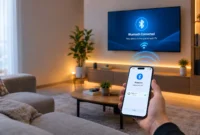
Smartphone connecting to a smart TV via Bluetooth pairing mode, showing wireless connection signal between the two devices

How to Connect Your Phone to TV Through Bluetooth: Step-by-Step Guide (2026)

By MuzammilPosted on October 15, 2026October 15, 2026

Yes, you can connect your phone to your TV using Bluetooth pairing, and I’ve done it in hotel rooms, at …Read More

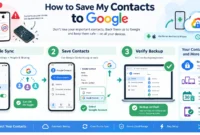
Step-by-step infographic showing how to save contacts to Google: Enable automatic sync in Settings, save new contacts to Google Account, and verify backup on contacts.google.com - works on both Android and iPhone with cloud storage protection

How to Save My Contacts to Google: Complete Guide for Android & iPhone

By MuzammilPosted on October 14, 2026October 15, 2026

Your phone stores contacts in multiple places, and most people don’t realize this creates a serious problem. One storage location …Read More
Recovering deleted contacts only takes a few steps if you act quickly.

How Do I Retrieve Deleted Contacts? A Step-by-Step Fix

By MuzammilPosted on October 13, 2026November 4, 2026

Stop and Check These Two Spots Before You Panic I’ve been through this exact panic moment myself. You open your …Read More
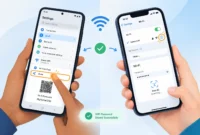
Illustration showing Android phone on left with WiFi Settings and Share button displaying a QR code, and iPhone on right with WiFi Settings and info icon for password viewing, with hands holding both devices.

How to Check WiFi Password in Phone (Android & iPhone Methods)

By MuzammilPosted on October 11, 2026October 11, 2026

How to Check WiFi Password in Phone (The Quick Answer) You can view your WiFi password directly in your phone’s …Read More
Person deleting Google Voice number in account settings on a smartphone

How to Delete a Google Voice Account (Number): Complete 2026 Guide

By MuzammilPosted on September 28, 2026September 28, 2026

I spent years using Google Voice before I finally decided to delete it. And right away, I hit the first …Read More

Virtual phone number verification illustration showing smartphone with OTP code connected to cloud VoIP system and international country flags for global business communication

How to Get a Virtual Phone Number (That Actually Works for Verification)

By MuzammilPosted on September 25, 2026October 4, 2026

What Is a Virtual Phone Number? (And Why “Virtual” Doesn’t Mean “Fake”) Here’s something most people don’t realize: there are …Read More
How to change default apps Android: phone Settings screen with browser and messaging app choices

How to Change Default Apps on Android: Every Phone, Every Setting

By MuzammilPosted on September 24, 2026October 4, 2026

What a Default App Actually Is (and Why Your Phone Already Has One) Here is something that catches most people …Read More

PS5 DualSense controller with blue light bar in pairing mode next to smartphone showing Bluetooth connection screen for wireless pairing

How to Pair Your PS5 Controller to Your Phone (Works for iPhone & Android)

By MuzammilPosted on September 22, 2026October 4, 2026

Why You’d Want to Use Your PS5 Controller with Your Phone Trying to play mobile games with touchscreen controls is …Read More

PS5 DualSense controller in pairing mode with blue light bar glowing, showing Create button and PS button for Bluetooth pairing

How to Put PS5 Controller in Pairing Mode (2026 Guide)

By MuzammilPosted on September 21, 2026September 21, 2026

What Pairing Mode Actually Does on a PS5 Controller Most people search for “how to put PS5 controller in pairing …Read More
Hand holding an Android smartphone showing app icons on screen with a delete option visible, demonstrating how to delete apps on Android

How to Delete Apps on Android: The Complete Guide (2026)

By MuzammilPosted on September 19, 2026September 20, 2026

Why Deleting Apps on Android Isn’t as Simple as You Think Most people tap Uninstall and assume the job is …Read More

  • 1
  • 2
  • Next

About Us

FixScribes provides practical computer troubleshooting guides, laptop fixes, Windows solutions, hardware advice, and useful tech tips to help everyday users understand problems, troubleshoot with confidence, and keep their devices running smoothly.

Learn More About Us →

What We Cover

💻

Computer Guides

Easy-to-follow solutions for common computer problems.

🛠️

Laptop & Hardware

Practical hardware tips, fixes, and laptop troubleshooting.

⚙️

Windows & Tech Tips

Helpful Windows solutions and everyday technology tips.

FixScribes

Practical tech troubleshooting guides, fixes, and easy-to-follow solutions to help you solve everyday technology problems.

Quick Links

  • Home
  • About Us
  • Contact Us

Topics

  • Android
  • Windows & PC
  • Mac
  • Internet & Networking

© 2026 FixScribes. All Rights Reserved.

Privacy Policy Terms & Conditions
Proudly powered by WordPress / Theme: Superfast
Secret Link